
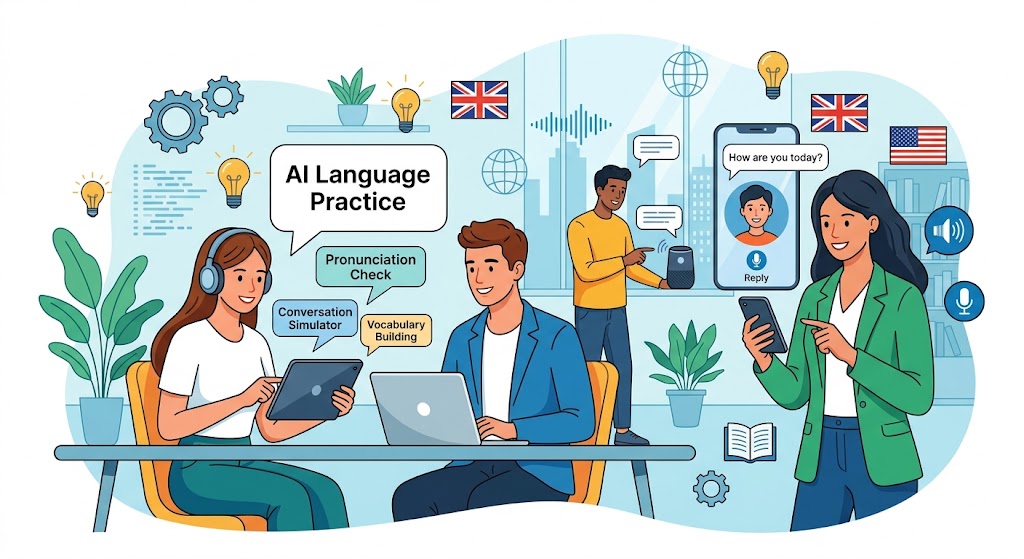
Want to speak English more confidently without paying for a private tutor? AI speaking tools let you practise everyday conversations, prepare for job interviews, improve your fluency, and learn useful expressions from your phone or computer.
The best option depends on what you need: natural conversations, pronunciation feedback, guided exercises, or a virtual partner who will patiently practise with you.
Quick answer: ChatGPT is a flexible choice for practising conversations and role-playing real situations. Google Gemini and Microsoft Copilot are worth exploring for voice conversations, while Gliglish and TalkDrill offer more language-practice-focused experiences. For pronunciation exercises, consider ELSA Speak and check which features are available on its free tier.
Best free AI tools for English speaking at a glance
| AI tool | Best for | Free-use consideration | Official website |
|---|---|---|---|
| ChatGPT | Open conversations, role-play, explanations | Voice access and usage limits depend on your plan | Try ChatGPT |
| Google Gemini | Conversational practice and everyday scenarios | Voice availability and limits may vary | Try Gemini |
| Microsoft Copilot | Spoken conversation and practical role-play | Voice features depend on region, account, and usage limits | Try Copilot |
| Gliglish | Guided conversations for language learners | Free practice may have a time limit | Try Gliglish |
| TalkDrill | AI tutor sessions and structured speaking activities | Free plan has limited practice; paid upgrades are available | Try TalkDrill |
| ELSA Speak | Pronunciation and speaking clarity | Free access is limited; some features require payment | Try ELSA Speak |
| British Council AI speaking activities | Structured practice connected to English lessons | Access may depend on course enrolment or platform eligibility | Explore activities |
This is a practical overview, not a controlled performance test or a guarantee that every feature is free. Confirm current terms directly with each provider.
1. ChatGPT: Best for flexible English conversation practice
ChatGPT can act as a conversation partner, interview coach, travel companion, or patient English tutor. With voice mode, you can speak naturally and listen to responses instead of typing every answer.
Its biggest advantage is flexibility. You can ask it to use simple vocabulary, speak at a slower pace, correct your grammar, explain unfamiliar expressions, and repeat a conversation until you feel more comfortable.
Good for: Beginners who need confidence, intermediate learners who want fluency, and professionals preparing for meetings or interviews.
Potential drawback: Voice usage on the free plan is limited, and corrections may not catch every pronunciation or grammar issue.
Practise with ChatGPTHow to practise English with ChatGPT
- Open ChatGPT on a supported device or browser.
- Start a voice conversation using the voice icon, if available.
- Tell it your current English level and what you want to practise.
- Answer aloud instead of reading or typing every response.
- Ask for a short summary of your most important mistakes at the end.
Act as my friendly English speaking tutor. I am an English learner at beginner or intermediate level. Have a natural conversation with me about daily life. Ask one question at a time and wait for my spoken answer. Use clear, natural English. After each answer, point out one important mistake, explain the correction simply, and ask me to try again. Do not interrupt me too often.
2. Google Gemini: Best for everyday conversation practice
Google Gemini can help you practise English through conversational questions, simulated situations, and explanations of words or expressions. Where Gemini Live is available, you can use spoken conversation to practise responding in real time.
Try scenarios such as ordering food, asking for directions, discussing your weekend, or explaining your job. You can also request a conversation that gradually becomes more challenging as you improve.
Good for: Learners who prefer open-ended conversation and want to practise practical English without following a fixed course.
Potential drawback: It is a general-purpose AI assistant rather than a dedicated speaking curriculum. Ask it explicitly to correct your English, and verify whether voice access is available on your account.
Try Google GeminiLet's practise English for travelling abroad. Pretend you are a hotel receptionist and I am a guest checking in. Speak naturally and ask me questions one at a time. Keep your language suitable for an intermediate learner. At the end, give me five useful phrases and correct my most important mistakes.
3. Microsoft Copilot: Best for practical speaking scenarios
Microsoft Copilot can help you rehearse conversations you might have at work, during a presentation, or in a professional interview. Its voice conversation feature allows spoken interaction where supported.
For example, ask Copilot to act as a recruiter, a colleague, a customer, or an audience member asking questions after a presentation. You can then repeat the exercise with more difficult questions.
Good for: Job seekers, students, and professionals who need to speak English in formal situations.
Potential drawback: Voice availability and limits vary. Check the feature in your region and account before relying on it for daily practice.
Try Microsoft CopilotAct as an interviewer for an entry-level job where English communication is important. Conduct a realistic mock interview. Ask one question at a time and wait for my answer. After each answer, suggest a more natural way to express my ideas. At the end, evaluate clarity, grammar, vocabulary, and confidence, and give me three specific improvements to practise.
4. Gliglish: Best for language-learning conversations
Gliglish is designed around language practice. Rather than treating English as just another topic in a general chatbot, it focuses on conversational situations for language learners.
You can use this kind of tool to practise answering questions, forming sentences, and becoming more comfortable with everyday vocabulary. It can be especially useful if you find it difficult to think of topics to discuss.
Good for: Learners who want a more focused language-practice environment.
Potential drawback: Free sessions may be limited, and the available feedback or features can differ by plan.
Try Gliglish5. TalkDrill: Best for structured AI speaking sessions
TalkDrill offers AI tutor practice, conversation activities, and speaking exercises. Depending on the feature you use, it can provide a more structured experience than simply opening a general chatbot and deciding what to say.
It can be worth exploring if you want to practise interview answers, everyday English, or other specific speaking situations. Check the current free allowance before planning a long daily session.
Good for: Learners who prefer prompts, activities, and a clear practice task.
Potential drawback: Free usage is limited, and additional practice or features may require a paid plan.
Try TalkDrill6. ELSA Speak: Best for pronunciation practice
ELSA Speak focuses on spoken English and pronunciation. It can be useful when you want to work on individual sounds, practise words aloud, and become more aware of how clearly you pronounce English.
Pronunciation work is different from open conversation. You might be able to hold a conversation with an AI but still need focused exercises to improve particular sounds, word stress, or rhythm.
Good for: Learners who want targeted pronunciation exercises alongside conversation practice.
Potential drawback: Some lessons, assessments, and advanced features may require a subscription. Check the current free access before starting.
Explore ELSA Speak7. British Council AI speaking activities: Best for structured learning
The British Council has introduced AI-powered speaking activities through its English learning platform. These activities are designed to help learners use grammar and vocabulary in realistic situations and practise communication for work, study, and everyday life.
The approach is useful if you prefer to practise a topic after studying it, rather than having an entirely open-ended conversation. Depending on the programme, feedback can address areas such as grammar, vocabulary, fluency, and clarity.
Good for: Learners who like a more educational, lesson-based structure.
Potential drawback: Access may depend on the course or learning platform. Do not assume every activity is available free to all visitors.
Explore British Council activitiesWhich free AI English speaking tool is right for you?
The best tool is the one that fits your main goal and that you will use consistently. Use this quick finder to narrow down your options.
Find your best match
1. What do you most want to improve?
2. How would you like to practise?
How to practise English speaking with AI for free
You do not need to use every tool on this list. Start with one conversation tool and a simple routine. Focus on speaking aloud, listening to feedback, and repeating corrected sentences instead of jumping from one app to another.
Step 1: Choose a realistic topic
Pick a subject you might discuss in real life, such as introducing yourself, ordering coffee, travelling, describing your work, or talking about your weekend. Familiar topics make it easier to focus on speaking rather than searching for ideas.
Step 2: Ask the AI to adapt to your level
Tell the tool whether you are a beginner, intermediate, or advanced learner. Ask it to use vocabulary you can understand and to ask one question at a time. If the conversation is too difficult, ask it to slow down or rephrase the question.
Step 3: Answer aloud before reading suggestions
Give yourself time to formulate an answer. Avoid immediately reading an AI-generated response. The goal is to practise retrieving words and building sentences yourself, even when your answer is not perfect.
Step 4: Correct a few mistakes at a time
Ask the AI to identify two or three important mistakes instead of correcting every tiny detail. Study the corrected versions, say them aloud, and use them in a new sentence.
Step 5: Repeat the same conversation
Repeat a conversation after receiving feedback. The second attempt gives you a chance to use new expressions and speak more smoothly. Repeating a scenario is often more useful than doing many unrelated exercises once.
Useful AI prompts for English speaking practice
Copy one of these prompts into a compatible AI assistant. For the most realistic speaking practice, use voice mode when it is available and answer aloud.
Prompt 1: English for beginners
You are my patient English speaking tutor. I am a beginner. Help me practise simple conversations about my daily routine, family, food, hobbies, and work. Ask one short question at a time. Use simple English and give me time to answer. Correct important mistakes with a short explanation. Encourage me to repeat the corrected sentence.
Prompt 2: Sound more natural in English
Let's have a natural conversation in English. After I answer, suggest a more natural way to express my ideas if necessary. Explain useful expressions and common word combinations. Do not rewrite every sentence if it is already correct. At the end, give me five phrases I can use in everyday conversations.
Prompt 3: Prepare for an English interview
Help me prepare for a job interview in English. Ask realistic interview questions one at a time. Wait for my answer before asking the next question. Give feedback on grammar, vocabulary, clarity, and the structure of my answer. Help me improve without making my answers sound unnatural or memorised.
Prompt 4: Practise travel English
Act out common travel situations with me in English. Start with checking into a hotel, then practise ordering food, asking for directions, shopping, and handling a travel problem. Play the other person in each scene. Let me speak first, and correct the most important mistakes after each role-play.
A free 15-minute daily English speaking routine
You can make progress without a long lesson or a paid subscription. Try this short routine five days a week, adjusting it to the free limits of your chosen tool.
| Time | Activity | Goal |
|---|---|---|
| 2 minutes | Warm up by describing your day aloud | Start speaking without overthinking |
| 6 minutes | Have an AI conversation or role-play | Build fluency and practise responses |
| 4 minutes | Review corrections and useful expressions | Notice recurring mistakes |
| 3 minutes | Repeat your answers using the corrections | Practise clearer, more natural sentences |
If your preferred tool has a short free voice allowance, use that time for speaking and do the review work in text. You can also record yourself locally, where appropriate, and listen for unclear words, long pauses, and repeated expressions.
Common mistakes to avoid when learning English with AI
- Only reading instead of speaking: Reading corrections silently does not provide the same practice as saying them aloud.
- Depending on translation for every sentence: Try to explain simple ideas using words you already know before asking for a translation.
- Requesting too many corrections: Focus on a small number of recurring mistakes so you can remember and use the fixes.
- Using only scripted answers: Memorised phrases can help, but practise answering unexpected follow-up questions too.
- Assuming every AI correction is perfect: AI can make errors. If a correction seems strange, ask for an explanation or compare it with a reliable English-learning resource.
- Avoiding real conversations: AI practice is a useful starting point, but conversations with people help you handle different accents, interruptions, and less predictable situations.
Are free AI English speaking tools enough?
For many learners, free tools are enough to begin practising regularly, develop confidence, and learn from common mistakes. A general AI assistant can provide flexible role-play, while a dedicated language app may offer more structured exercises or pronunciation-focused activities.
The main trade-off is usually practice time and access to advanced feedback. Free plans may have limits, and not every tool evaluates pronunciation in the same way. You do not need to pay immediately: start with the free features, establish a routine, and consider an upgrade only if you consistently reach a limit that prevents you from meeting your goals.
Frequently asked questions
What is the best free AI tool to practise English speaking?
ChatGPT is a flexible starting point for conversations, role-play, and explanations. Gemini and Copilot are alternatives for spoken conversations where voice features are available. Gliglish and TalkDrill are worth considering if you prefer tools focused on language practice. The best choice depends on your learning goal and free usage allowance.
Can I practise speaking English with AI for free every day?
Yes, you can build a daily routine using free features, but you may need to combine tools or use text-based exercises when you reach a voice limit. Check each provider's current terms because free allowances can change.
Can AI help me improve my English pronunciation?
Some tools provide pronunciation exercises or speech feedback. ELSA Speak focuses on pronunciation, while general AI assistants can help you practise words and phrases. However, feedback quality varies, and not every voice chat offers detailed phoneme-level assessment.
Is ChatGPT good for beginners learning English?
It can be useful if you ask it to speak clearly, use simple vocabulary, ask one question at a time, and explain mistakes in plain language. Beginners should practise short answers first and gradually move to longer conversations.
Can AI replace an English teacher?
AI can provide convenient extra practice, repeat role-plays, and explain many common mistakes. It is not a complete replacement for a qualified teacher, especially when you need a reliable assessment, a structured course, or detailed feedback tailored to your learning history.
How long should I practise speaking English each day?
Start with 10 to 15 focused minutes a day. Spend most of the session speaking aloud, then review a few corrections and repeat them. Consistency and active practice are more useful than simply opening an app for a long session without a clear goal.
Do I need a microphone to practise English with AI?
For live voice conversations, you need a supported microphone and permission to use it. If you cannot use voice mode, you can still practise by typing responses, reading them aloud yourself, and asking the AI for corrections.
Final recommendation
If you want to practise English speaking for free in 2026, start with one tool that matches your main goal. Use ChatGPT for flexible conversations, explore Gemini or Copilot for voice interaction, and try Gliglish, TalkDrill, or ELSA Speak if you prefer more focused language practice.
Set aside a few minutes every day, speak before checking the suggested answer, and repeat corrected sentences. The aim is not to sound perfect on the first try; it is to become more comfortable expressing your ideas in English.