
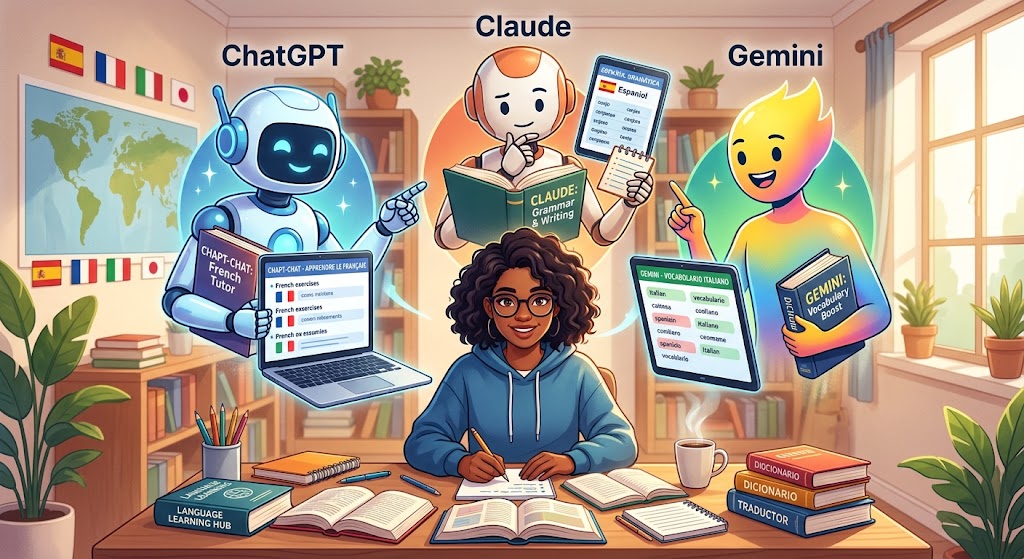
Can an AI assistant help you learn English, Spanish, French, Japanese, or another language? ChatGPT, Claude, and Google Gemini can all help you practise, but they have different strengths when it comes to speaking, grammar explanations, vocabulary, writing, and personalized lessons.
This guide compares the three tools so you can choose the right AI language-learning partner for your goals and budget.
Quick verdict: Start with ChatGPT if you want a flexible language tutor with voice conversations, role-play, and personalized corrections. Consider Claude for detailed explanations, writing feedback, and spoken conversations on supported platforms. Choose Gemini if you want to practise conversational scenarios through Gemini Live on a compatible device.
ChatGPT vs Claude vs Gemini: comparison table
| Feature | ChatGPT | Claude | Gemini |
|---|---|---|---|
| Best use | Flexible tutoring and role-play | Detailed explanations and writing feedback | Conversational practice and interactive learning |
| Speaking practice | Voice conversations where available | Voice mode on supported platforms | Gemini Live on compatible devices and accounts |
| Grammar explanations | Can explain rules with examples | Can provide detailed explanations and comparisons | Can explain rules and generate practice questions |
| Writing correction | Useful for rewriting and feedback | Useful for detailed editing and style feedback | Useful for rewriting and contextual suggestions |
| Vocabulary practice | Flashcards, quizzes, example sentences | Contextual examples and word comparisons | Vocabulary quizzes and conversation scenarios |
| Role-play | Travel, interviews, daily conversations | Workplace, social and academic situations | Everyday scenarios and spoken practice |
| Free access | Free plan with feature-specific limits | Free plan with usage limits | Free access with feature and usage limits |
| Dedicated language course | No, but you can create your own lessons | No, but you can create your own lessons | No, but you can create your own lessons |
This comparison describes general capabilities, not the results of a controlled language-learning experiment. Exact features may differ by device, subscription, and current product availability.
1. ChatGPT: Best all-round AI language tutor
ChatGPT is a versatile option for learners who want to combine speaking practice, grammar explanations, vocabulary building, reading, and writing in one place. You can ask it to behave like a patient tutor, a conversation partner, or an examiner preparing you for a language test.
Its voice feature lets you speak and hear spoken responses where available. You can practise ordering food, introducing yourself, discussing your hobbies, or explaining an idea at work. Afterward, you can review the conversation and ask for corrections.
What can you practise with ChatGPT?
- Everyday conversations at beginner, intermediate, or advanced level.
- Grammar rules with examples tailored to your mistakes.
- Vocabulary lists, flashcards, and short review quizzes.
- Job interviews, presentations, and travel situations.
- Writing corrections with explanations of why a sentence sounds unnatural.
Advantages
- You can adapt the difficulty and style of a lesson to your level.
- You can move between voice and text during your learning session.
- You can request exercises based on mistakes from a conversation.
- It can help you practise several skills without changing apps.
Limitations
Voice and other tools have usage limits on the free plan. ChatGPT can also give incorrect explanations or translations, so verify important language points with a reliable dictionary or learning resource.
Try ChatGPT Read about voice featuresAct as my personal language tutor. My target language is English, and my current level is A2. Help me improve my speaking, grammar, and vocabulary. Start a conversation about everyday life and ask one question at a time. Wait for my answer. Correct my most important mistakes, explain the corrections in simple language, and give me one natural alternative expression. At the end, create five review questions based on what I learned.
2. Claude: Best for detailed explanations and writing feedback
Claude is useful for learners who want to understand not just what is wrong with a sentence, but why a different expression works better. You can submit a paragraph, ask for corrections, compare different phrasings, or explore the nuances between similar words.
Claude also has a voice mode on supported platforms and plans. This gives learners another way to practise spoken conversations, rehearse interviews, and explore topics aloud.
What can you practise with Claude?
- Grammar explanations with examples and exceptions.
- Detailed feedback on essays, emails, and short stories.
- Differences between formal, informal, and natural expressions.
- Vocabulary in context, including synonyms and collocations.
- Spoken role-play for everyday and professional situations.
Advantages
- Useful for examining sentence structure and writing style.
- Can explain subtle differences between expressions.
- Can help you rewrite a text at different language levels.
- Supports voice conversations on compatible platforms.
Limitations
Claude is not a dedicated language course with a fixed progression through vocabulary and grammar. Its usage limits depend on the plan, and its corrections are not guaranteed to be perfect. You should also specify the language level and type of feedback you want.
Try Claude Read about voice modeI am learning English at an intermediate level. Act as a supportive language teacher and writing coach. When I share a sentence or paragraph, identify grammar mistakes, unnatural expressions, and vocabulary that could be improved. Show my original version, a corrected version, and a natural version a fluent speaker might use. Explain the three most important changes without overwhelming me. Preserve my meaning and personal writing style.
3. Google Gemini: Best for interactive conversational practice
Google Gemini can help you practise a language through questions, explanations, quizzes, and simulated real-world situations. Gemini Live offers spoken back-and-forth conversations on supported devices, making it useful for learners who want to practise responding naturally instead of typing every answer.
You can ask Gemini to simulate a conversation in a restaurant, explain a difficult grammar point, test your knowledge of new words, or help you prepare for an important interaction.
What can you practise with Gemini?
- Spoken practice through Gemini Live where available.
- Role-play for travel, shopping, school, and work.
- Vocabulary quizzes and example sentences.
- Grammar explanations adapted to your current level.
- Short lessons built around topics you enjoy.
Advantages
- Useful for spontaneous conversation and scenario-based practice.
- Can generate varied exercises around a topic.
- Can adjust explanations and practice difficulty when prompted.
- Offers a conversational alternative to text-only study.
Limitations
Gemini Live availability depends on device, account, and rollout. Its free usage allowance can also change. As with the other assistants, you should request explicit language corrections instead of assuming every conversation will automatically function as a lesson.
Try Google Gemini Learn about Gemini LiveHelp me learn English through realistic conversations. I am at B1 level. Pretend we are meeting for the first time at an international event. Speak naturally and ask one question at a time. After each answer, identify one grammar mistake or unnatural expression if there is one. Give me a better version and then continue the conversation. At the end, summarize the new expressions I used and the ones I should practise again.
Which AI is best for each language-learning goal?
| Your goal | Suggested starting point | How to use it |
|---|---|---|
| Practise everyday speaking | ChatGPT or Gemini | Use voice conversations and realistic role-play. |
| Understand grammar mistakes | ChatGPT or Claude | Ask for a correction, explanation, and new examples. |
| Improve writing | Claude or ChatGPT | Submit a short text and compare your original with the revised version. |
| Build vocabulary | Any of the three | Create example sentences, quizzes, and review exercises. |
| Prepare for an interview | ChatGPT, Claude, or Gemini | Run a mock interview and practise follow-up questions. |
| Learn through conversation | ChatGPT or Gemini | Ask questions aloud and request corrections after each response. |
| Study a difficult text | Claude or ChatGPT | Ask for a level-appropriate explanation, vocabulary, and comprehension questions. |
Free plans: Can you learn a language without paying?
Yes. You can use the free versions of ChatGPT, Claude, and Gemini to create lessons, practise grammar, build vocabulary, and work on writing. The biggest consideration is how much access you get to the features you use most often.
ChatGPT free plan
ChatGPT offers free text conversations and access to selected tools, subject to usage limits. Voice has its own allowance, so a long speaking session may not always be available. You can still continue practising in text or return to voice when your allowance resets.
Claude free plan
Claude has a free plan, and voice mode is available on supported platforms. Voice use counts toward the regular usage limits for your plan, so extensive sessions may use up your allowance sooner.
Gemini free access
Gemini offers free access to its assistant, with limits on some features. Gemini Live is designed for natural spoken conversations, but availability depends on supported devices and accounts. Check the app or official help page for the current conditions.
How to use AI to learn a language faster
Having access to a powerful chatbot is not the same as following a good study plan. The most useful approach is to give each session a clear objective, actively produce the language, review mistakes, and revisit what you learned.
1. Set your language level
Tell the AI whether you are a beginner, intermediate, or advanced learner. If you know your CEFR level, such as A1, A2, B1, B2, C1, or C2, include it in your prompt. Ask for vocabulary and grammar appropriate to that level.
2. Practise one topic at a time
Choose a useful topic such as ordering food, introducing yourself, discussing your hobbies, or describing a work project. Learning language in context helps you practise how expressions fit together instead of memorizing isolated words.
3. Answer before looking at the solution
When the AI asks a question, try to answer it yourself first. Do not immediately ask the chatbot to write a perfect response for you. Producing your own sentences helps you identify which words and structures you can recall independently.
4. Ask for focused corrections
Request two or three important corrections per session. Too much feedback can be difficult to remember. Focus on errors that affect meaning, recurring grammar problems, and expressions that would make your communication more natural.
5. Review and repeat
At the end of a session, ask the AI to summarize new vocabulary, corrected sentences, and the grammar rule you practised. Return to those sentences the following day and use them in a new conversation.
A simple 20-minute AI language-learning routine
| Time | Activity | Purpose |
|---|---|---|
| 5 minutes | Review vocabulary from your previous session | Strengthen recall |
| 7 minutes | Speak with the AI about one everyday topic | Practise fluency and comprehension |
| 4 minutes | Review grammar or vocabulary corrections | Understand and fix recurring errors |
| 4 minutes | Repeat corrected sentences and summarize the topic aloud | Use new language actively |
You can follow this routine with any of the three tools. If your voice allowance is limited, use the speaking time for conversation and complete the review activities through text.
Useful prompts for ChatGPT, Claude, and Gemini
The prompts below can be used with any of the three assistants. Replace English with your target language and adjust the level to match your ability.
Prompt 1: Build a personalized study plan
Create a four-week study plan for learning English. My current level is A2, and my goal is to communicate confidently while travelling. I can study for 20 minutes per day. Include speaking, listening, vocabulary, grammar, and weekly review. Give each day one clear task and explain how I should measure my progress. Keep the plan realistic for a learner using free AI tools.
Prompt 2: Learn vocabulary in context
Teach me 10 useful English words and expressions about work. For each one, provide a simple definition, a natural example sentence, and a common mistake to avoid. Then quiz me one question at a time without revealing the answer before I try. At the end, ask me to use five of the expressions in my own sentences.
Prompt 3: Improve speaking confidence
Act as a friendly conversation partner for English practice. Choose a topic suitable for my level and ask one question at a time. Wait for me to answer. Do not finish my sentences for me. If I make a mistake, give me a natural correction and a brief explanation. Encourage me to answer again using the correction. End with three strengths and three specific things to practise next.
Prompt 4: Compare two similar expressions
Explain the difference between two similar expressions in English: [expression A] and [expression B]. Explain the meaning, tone, formality, and situations where each expression is natural. Give me five pairs of example sentences and a short quiz. Use simple explanations suitable for my level and tell me if either expression is uncommon or context-dependent.
Find the best AI language-learning assistant for you
Answer these two questions to get a practical starting recommendation.
Which tool matches your goal?
1. What is your main priority?
2. How do you prefer to learn?
Can AI replace a traditional language-learning app?
ChatGPT, Claude, and Gemini can make language practice more flexible, but they are not identical to structured learning platforms. A dedicated course may provide a planned sequence of lessons, spaced repetition, listening exercises, progress tracking, and a curriculum built around specific learning objectives.
AI assistants are particularly useful when you want to ask questions, practise a real-life situation, explore a grammar problem, or receive feedback on your own writing. However, they may occasionally give inaccurate explanations or accept a sentence that sounds unnatural.
A practical approach is to combine an AI assistant with reliable dictionaries, listening materials, reading practice, and real conversations with other people. Use AI to increase the amount of active practice you get, rather than relying on it as your only source of language instruction.
Frequently asked questions
Is ChatGPT, Claude, or Gemini best for learning a language?
There is no universal winner. ChatGPT is a flexible all-round choice, Claude is useful for detailed writing and language explanations, and Gemini is a good option for interactive conversation through supported voice features. The best choice depends on your goal, preferred learning style, and access to free features.
Can I learn a language with ChatGPT for free?
Yes. You can use the free plan for many text-based learning activities, including vocabulary practice, grammar explanations, writing corrections, and role-play. Voice has separate usage limits, so the amount of speaking practice available may vary.
Does Claude have voice mode for language learning?
Claude provides voice mode on supported web, desktop, and mobile experiences. It can be used for spoken conversations and learning, but voice usage counts toward your plan's usage limits. Check the current official help page for platform and language availability.
Can I use Gemini to practise speaking English?
Yes. Gemini Live supports spoken conversations on compatible devices and accounts. You can use it for role-play, everyday topics, and spoken practice. Availability and features may vary, so check the current Gemini app requirements.
Which AI is best for learning grammar?
All three can explain grammar and create practice questions. ChatGPT and Claude are useful starting points for asking follow-up questions and exploring why a sentence is incorrect. Ask for simple explanations, contrasting examples, and a short quiz to test your understanding.
Can AI help me become fluent in a foreign language?
AI can help you practise consistently, build vocabulary, understand grammar, and gain confidence. Fluency also requires regular listening, reading, active language production, and experience communicating with people in different situations. AI is a useful part of a broader learning routine, not a guarantee of fluency.
Should I pay for ChatGPT, Claude, or Gemini to learn a language?
Start with a free plan and identify the limitations you actually encounter. Consider paying only if a subscription gives you enough additional speaking time, tools, or features to justify its cost. Compare current plan details before subscribing.
Can I use these AI tools to prepare for IELTS or TOEFL?
Yes. They can help you practise speaking prompts, brainstorm essay ideas, review grammar, and simulate interview-style questions. However, AI feedback is not an official score, and the tools may not reproduce the exact assessment standards of an official exam. Combine AI practice with the exam provider's official preparation materials.
Final verdict: Which AI should you choose?
Choose ChatGPT if you want one flexible assistant for conversation practice, role-play, grammar, vocabulary, and writing.
Choose Claude if you frequently write in your target language and want detailed feedback, explanations, and alternative ways to express an idea.
Choose Gemini if you want to explore spoken conversation practice and interactive scenarios through Gemini Live on a compatible device.
You do not need to subscribe to all three. Try the free features, complete several practice sessions, and evaluate which assistant helps you speak or write more confidently. The biggest improvement usually comes from using what you learn repeatedly, not from switching between tools every day.